git-friendly
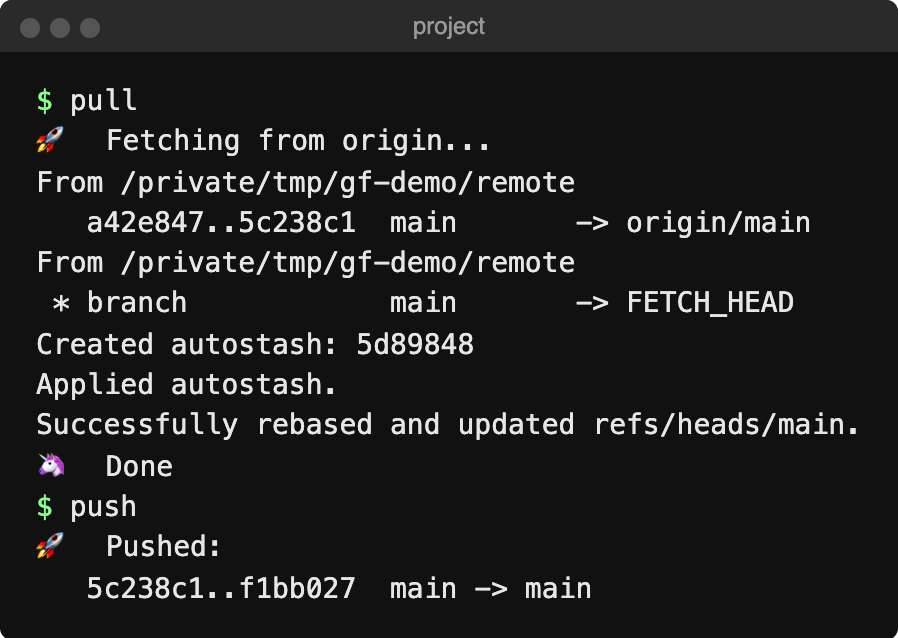
pull and push in a throwaway repo, September 2026. Screenshot by Jamie Wilkinson.
git-friendly is a collection of shell scripts that streamline your git workflow. Just type pull, push, branch, or merge instead of remembering complex git commands.
I started it in January 2011 as my own set of shortcuts, and still maintain it. As of September 2026 it has 531 stars and 44 forks on GitHub.
Features
pull- Stash, pull, pop stash, prune remote branches, then runbundle install,npm install,uv syncand friends if neededpush- Push and copy the GitHub compare URL to clipboardbranch- Create or switch to a branch, tracking the remote one if it existsmerge- Merge a branch into the current one, rebasing it first if it only exists locallystash- Stash, including untracked files
History

Logo: git-friendly on GitHub
The first commits went up in late January 2011. I got tired of typing 3 or 4 commands to do basic stuff. I announced it on the FAT Lab blog that September, with a blurb from Paul Irish: “Amazeballs.”
Artem Sapegin started sending pull requests in November 2012 and became the second-biggest contributor, with 29 commits. He added the stash command in 2018. Version 1.0 was released on December 28, 2019, and in 2020 the project moved to its own GitHub organization with a Homebrew tap. Fedora users get unofficial builds through Copr.
In 2026 I dusted it off: CI tests, --autostash in pull and merge, and releases up to v1.2.0 in September.
Installation
# via Homebrew
brew install git-friendly/git-friendly/git-friendly

# or curl
curl -sS https://raw.githubusercontent.com/git-friendly/git-friendly/main/install.sh | bash
Links
Open source, 2011-present